Most relevant vs Most recent LinkedIn comments: what to use
Open Most recent before you reply to a buyer. How the two LinkedIn comment views differ, what is confirmed, and a 3-minute check you can run weekly.

Part of our LinkedIn comments guide: where to comment, what to write, and how to measure what it earns.
Most relevant is the comment view LinkedIn shows by default. Most recent lists comments by date and can show replies the default view leaves out. If you reply to buyers, or want to know whether your own comment is visible, open Most recent first.
This matters more since 13 November 2026, when LinkedIn said it is pushing suspected AI comments further down the default view. Here is what the two views do, what LinkedIn has and has not said, and a short routine for a busy founder or consultant.
What do "Most relevant" and "Most recent" mean on LinkedIn?
LinkedIn offers two ways to sort the comments under a post. According to MACCUS, "Most relevant" is the default and lets LinkedIn set the order. "Most recent" lists comments by date.
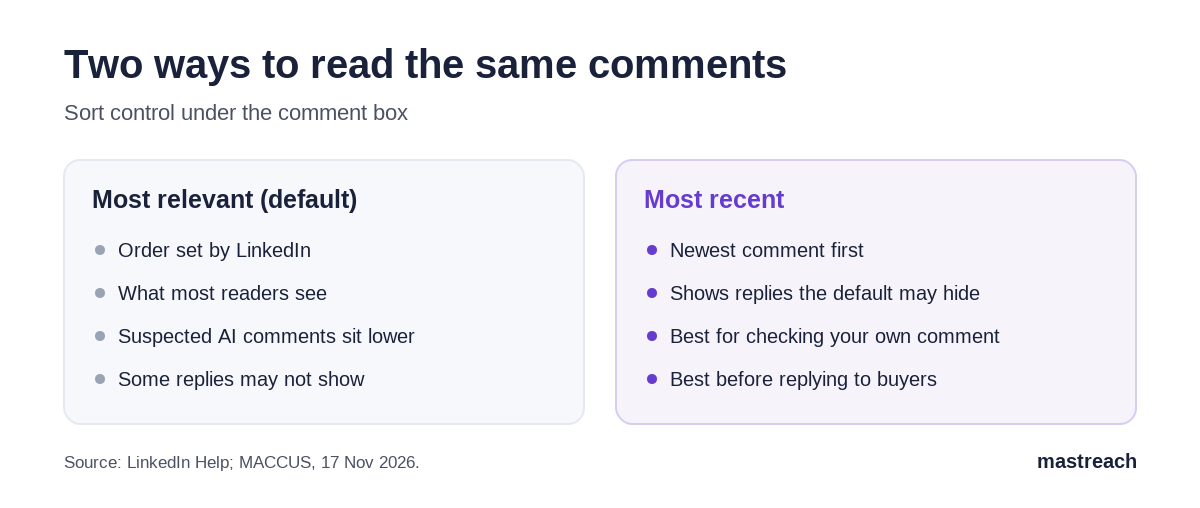
Most relevant is what almost every reader sees, because few people change the sort. So the comment at the top of that view gets the attention, and a comment far below it gets very little.
Why can a comment be missing from the default view?
There are three known reasons, and LinkedIn names the first two.
- Re-ranking. On 13 November 2026 LinkedIn's Chief Product Officer, Hari Srinivasan, said new classifiers flag suspected AI comments as less valuable. Social Media Today says LinkedIn is re-ranking them, not removing them.
- Limits on volume and automation. LinkedIn's help page says that if it detects "excessive comment creation or use of an automation tool", it "may limit the visibility of those comments".
- A notice about hidden replies. MACCUS reports that Srinivasan's post carried a LinkedIn notice saying some replies may not appear in Most relevant, and that readers must switch to Most recent. The version of the help page we opened did not show that line, so treat it as reported, not confirmed by us.
LinkedIn has not published its criteria, and it gave no appeal route for a comment marked down by mistake. Our piece on how LinkedIn ranks AI comments lower covers the announcement in full.
What did LinkedIn say about how much this changes?
One figure, from LinkedIn's own testing: a "greater than 20% reduction in views of slop comments", as Social Media Today quotes Srinivasan. LinkedIn said the changes "will be rolled out to everyone soon". It gave no date and no list of countries.
We cannot tell you how many comments are affected, or whether a comment of yours is. Nobody outside LinkedIn can yet.
How do you switch views on desktop and mobile?
Open a post and look at the sort control near the comment box. Choose Most recent. The label and the exact place can differ by app version and by country, so look for the sort option rather than a fixed button.
Two small habits help:
- Switch the view for each post. We have not seen LinkedIn say that the choice is remembered.
- Reload the page after a few minutes. New comments take a moment to appear.
Is my own comment hidden? A two-minute check
You always see your own comment, so checking from your own account tells you little. Work through these in order:
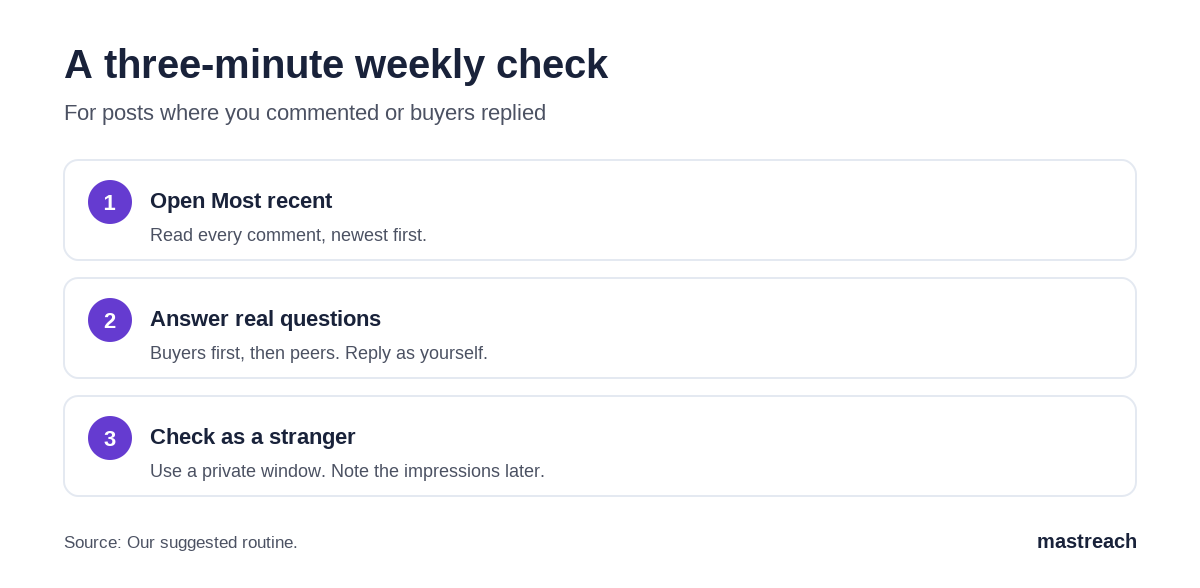
- Open the post and switch to Most recent. Is your comment there?
- Look for it under Most relevant. Is it near the top, the middle or the bottom?
- Open the post in a private browser window, or ask a colleague in another city to look. That is the closest view to a stranger's.
If it is only in Most recent, it is live but ranked low. Our guide to a LinkedIn comment that seems to have disappeared gives five checks and says when to edit, delete or leave it alone.

Should you open Most recent before replying to buyers?
Yes, and this is the habit we would change first. A buyer's comment can sit low in Most relevant. If you reply only to what is at the top, you may miss the one comment that is a real prospect asking a real question.
Picture three readers. A US agency owner is asked about pricing by a prospect. A UK consultant gets a question from a procurement lead. A Dubai firm's partner receives a doubt from a possible client. Each question may be buried under a crowd of short compliments.
Our reading, not a LinkedIn rule: the useful comment is often the plain, specific one, and filters of this kind can bury it. So read Most recent, and answer the people with a real question first.
Timing matters too. Our article on the best time to comment explains why a reply soon after a post goes live is usually seen more.
What does this mean for the comments you write?
Three practical points.
Write for the person, not the filter. LinkedIn has not said what its classifiers look for. Its help page asks for comments that represent your own voice and view, and a comment with one fact from your own work is the safest we know.
Do not judge a comment by what you see in the first minute. A comment low in Most relevant may still be read by the author, who may open Most recent. Look at the impressions LinkedIn shows under the comment a day later.
Measure, do not guess. In our data, 914 comments drafted in Mastreach and then posted (August to September 2026) earned 177,931 impressions, about 195 each. Those are impressions as LinkedIn reports them, not unique people, and repeat and own views count. We have no comparison from before the 13 November change, so we do not claim the filter changed these numbers.
For the wider rules on volume, timing and measuring, see the LinkedIn comments guide.

Where Mastreach fits
The risk in this article is simple: a good comment, yours or a buyer's, sits where nobody looks. Mastreach helps with the part you control.
- It shows the LinkedIn posts in your subject that your buyers are reading.
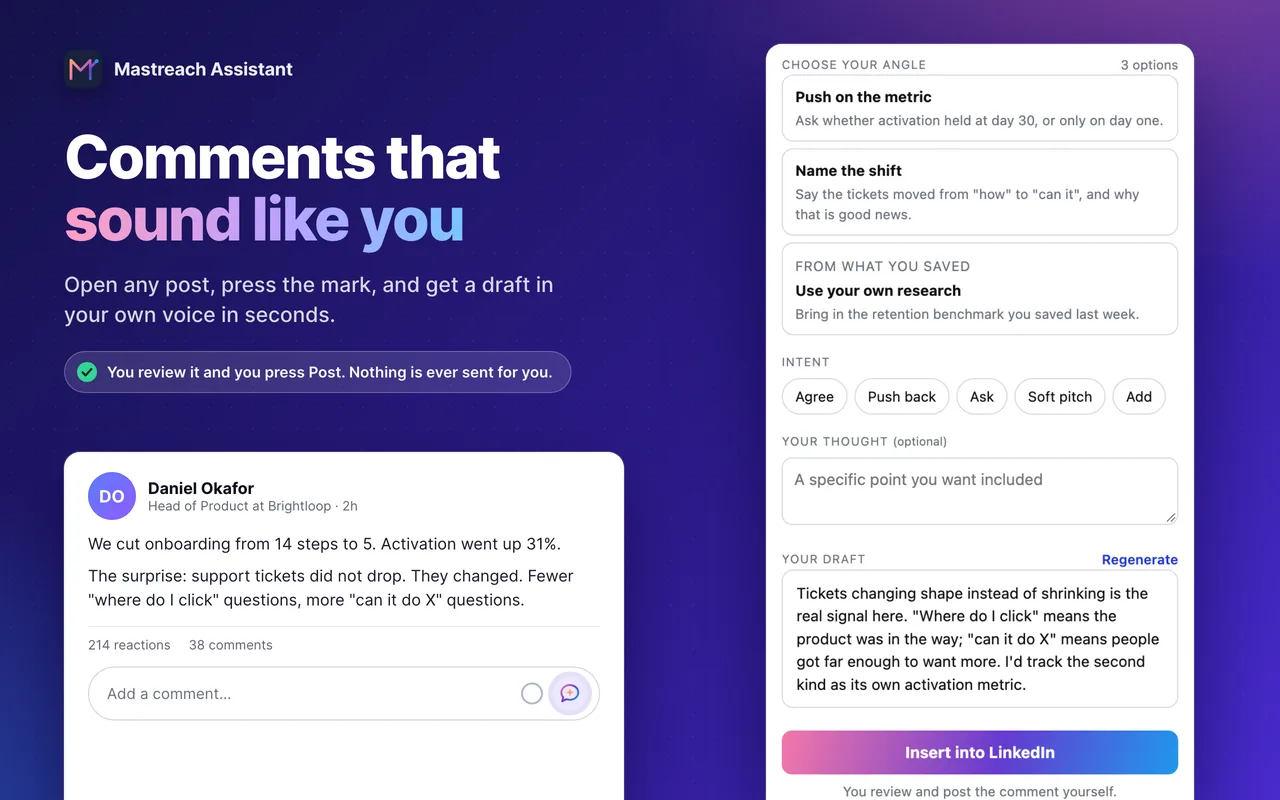
- It drafts a comment from an angle in the post, in your own voice, for you to edit.
- It records the impression count LinkedIn shows under each comment and adds them up by week.
You read, edit and post every comment yourself. Mastreach never posts, comments or messages for you.
Plans start at $29 a month, and there is a 5-day free trial.
FAQ
What is the difference between Most relevant and Most recent on LinkedIn?
Most relevant is the default view, ordered by LinkedIn's own ranking. Most recent lists comments by date. A notice LinkedIn showed, as reported by MACCUS, says some replies may appear only under Most recent.
Does LinkedIn delete AI-written comments?
LinkedIn has said it re-ranks suspected AI comments, not removes them, according to Social Media Today. They stay published but sit lower in the default view. LinkedIn has not shared how it decides.
Can a comment I wrote be wrongly pushed down?
It may be. LinkedIn has not published its criteria or an error rate, and MACCUS reports two members who say real comments were buried. That is two anecdotes, not a measured rate.
How often should I check Most recent?
Before you reply to a buyer, and once a week on the posts where you commented. Three minutes is enough. It is our suggestion, not a LinkedIn rule.
Sources
See what your own comments are reaching.
Mastreach finds the LinkedIn posts your buyers are reading, drafts a comment in your voice, and counts the impressions LinkedIn never adds up for you. You post every comment yourself.
- 914 comments drafted with Mastreach and posted by their owners
- 177,931 LinkedIn impressions on those comments, August to September 2026