How Many LinkedIn Comments Per Day Is Too Many?
LinkedIn publishes no daily comment limit. What its help pages say, why vendor numbers have no source, and a calm daily pace for busy professionals.

Part of our LinkedIn comments guide: where to comment, what to write, and how to measure what it earns.
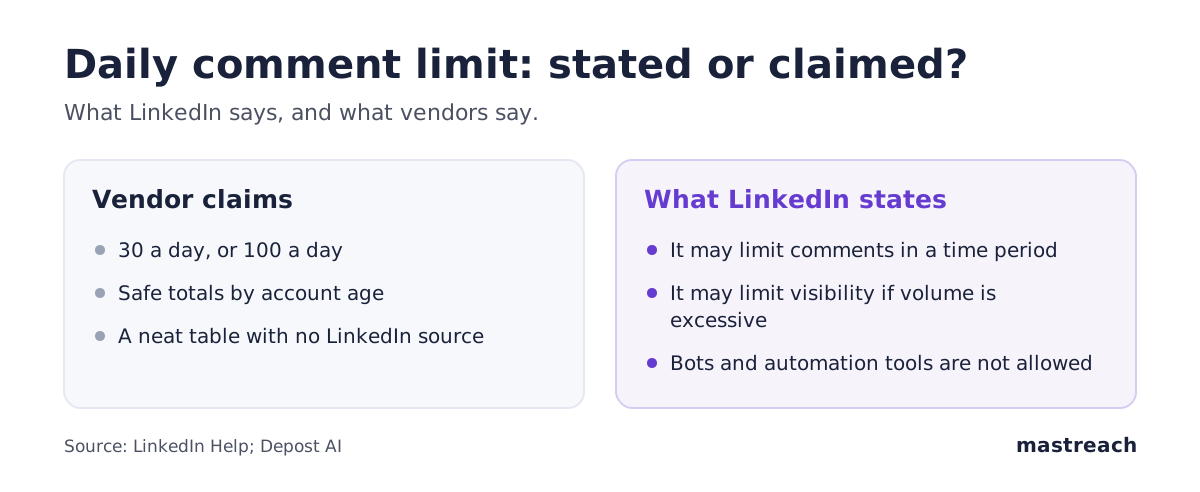
Is there a daily limit on LinkedIn comments? LinkedIn has never published one. Its help page says only that it may limit how many comments a member can make in a certain time period, and may limit the visibility of comments if it sees excessive volume or an automation tool.
So any exact number you read, 30 a day or 100 a day, is a guess. This article separates what LinkedIn actually states from what vendors claim, and gives you a calm daily pace you can follow tomorrow.
Does LinkedIn have a daily comment limit?
LinkedIn does not publish a number. It does say that a limit can exist. On its help page about commenting, LinkedIn writes that it may "limit how many comments a member or a LinkedIn Page can make in a certain time period."
The same page adds that if LinkedIn detects "excessive comment creation or use of an automation tool," it may limit the visibility of those comments.
Read that closely. Two different things are named. One is a cap on how many comments you can post. The other is that your comments may be shown to fewer people. The second is harder to notice, because nothing tells you it happened.
LinkedIn names no figure, and it does not say how long the "time period" is.

Why do vendor numbers like 30 or 100 a day have no source?
Search for this question and you will find tidy tables. Thirty a day for a new account. A hundred for an older one. Most come from companies that sell commenting tools.
One such vendor, Depost AI, says on its own blog that LinkedIn "has never published a daily comment limit" and that the figures in circulation have no source. It then offers its own safe range, based on its own account. That is one company's experience, not a LinkedIn rule.
We treat all of these numbers the same way: as unconfirmed. Our reading is that a number would not help anyway. A fixed daily total cannot tell you whether your pattern looks like a person or a machine.
What does LinkedIn say about automation?
This is the part that matters more than the count. LinkedIn's page on prohibited software and extensions says it does not permit tools that "automate activity on LinkedIn's website."
Its User Agreement list includes using "bots or other unauthorized automated methods" to "create, comment on, like, share, or re-share posts."
Members who use such tools, LinkedIn says, risk having their accounts restricted or shut down. The tools may also stop working without notice.
If an account is restricted for automated activity, LinkedIn's help page says to disable the software. The account is then re-enabled at the time given on the notice.
So the real question is not "how many?" It is "who is typing and posting?" A founder who reads a post, writes a comment and presses the button is doing what LinkedIn built the feature for. We covered the wider rules in our guide to engagement pods and auto-comment tools.
What happens if you comment too fast?
LinkedIn does not describe the steps. From its pages, three outcomes are possible:
- Your comments stop being shown to as many people.
- You are blocked from commenting for a while.
- If automation is involved, the account can be restricted.
Most people never see any of these. They happen to accounts that post many near-identical comments in a short burst, or that use a tool to act for them.
We do not have data on restrictions, and we will not guess at them. What we can say is that comments written by a person, spread through the day, and different from each other, look very unlike the pattern LinkedIn describes.
What is a sensible pace for a founder or consultant?
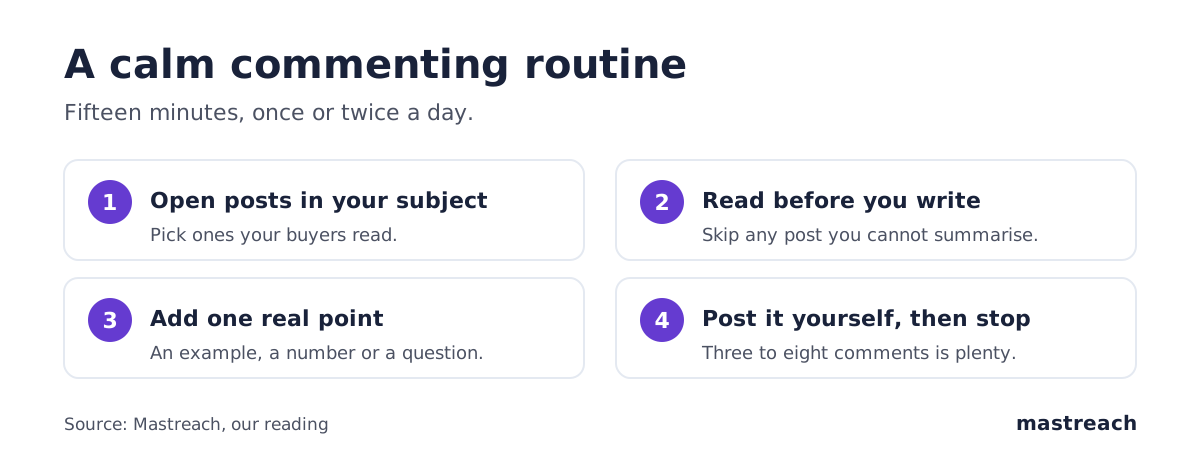
Think in sittings, not totals. Here is a pace a busy person can keep, based on our experience and not on any LinkedIn rule:
- One or two sittings a day, 15 to 20 minutes each.
- Three to eight comments in total. Each one should add something: an example, a number, a question, a respectful disagreement.
- Never the same comment twice. If you could paste it under any post, do not post it.
- Space them out. Morning and late afternoon is better than eight in a row.
- Read the post first. If you cannot say what it argues, skip it.
For context, here is how fast the Mastreach accounts in our data commented. These are averages over the period, not daily caps, and they say nothing about what LinkedIn allows. The founder's own account made 284 comments in two months, about five a day. The leadership trainer made 160 in 14 days, a little over eleven a day.
Impressions are not unique people, and repeat views and your own views count. We also have no comparison with the same accounts before they started, so these are not proof that any pace is "safe".
Why does a slower pace often earn more reach?
Our reading: a comment is read by people who care about the post. If you leave twenty hurried comments, most will be thin. If you leave five good ones on posts your buyers read, each has a chance to be remembered.
Across all matched comments drafted in Mastreach and then posted (August to September 2026), we recorded 914 comments and 177,931 impressions, about 195 per comment. That is the pattern we see: steady, specific comments add up. LinkedIn has also described showing comments by relevance to each reader, so a comment that speaks to your buyers should matter more than a quick one. See our note on comment ranking per reader.
Here is how it looks across places. An agency owner in Austin comments twice a day before client calls. A UK consultant comments each Tuesday and Thursday morning. A founder in Bengaluru uses the train ride. A firm in Dubai assigns one partner to one sitting after lunch. None of them needs a count.
What should you do if LinkedIn restricts your commenting?
Stay calm, and do the following:
- Stop commenting for the time on the notice.
- Turn off any browser extension or tool that acts on LinkedIn for you.
- Use LinkedIn's contact form on the help page if you think the restriction is a mistake.
- When you return, comment less often and write each comment yourself.
Do not open a second account to get around it. That is another thing LinkedIn does not allow.
Where Mastreach fits
Commenting well takes time, and the fear of doing too much comes from not knowing which posts deserve your effort. Mastreach helps you do less, better.
- It shows the LinkedIn posts in your subject that your buyers are reading.
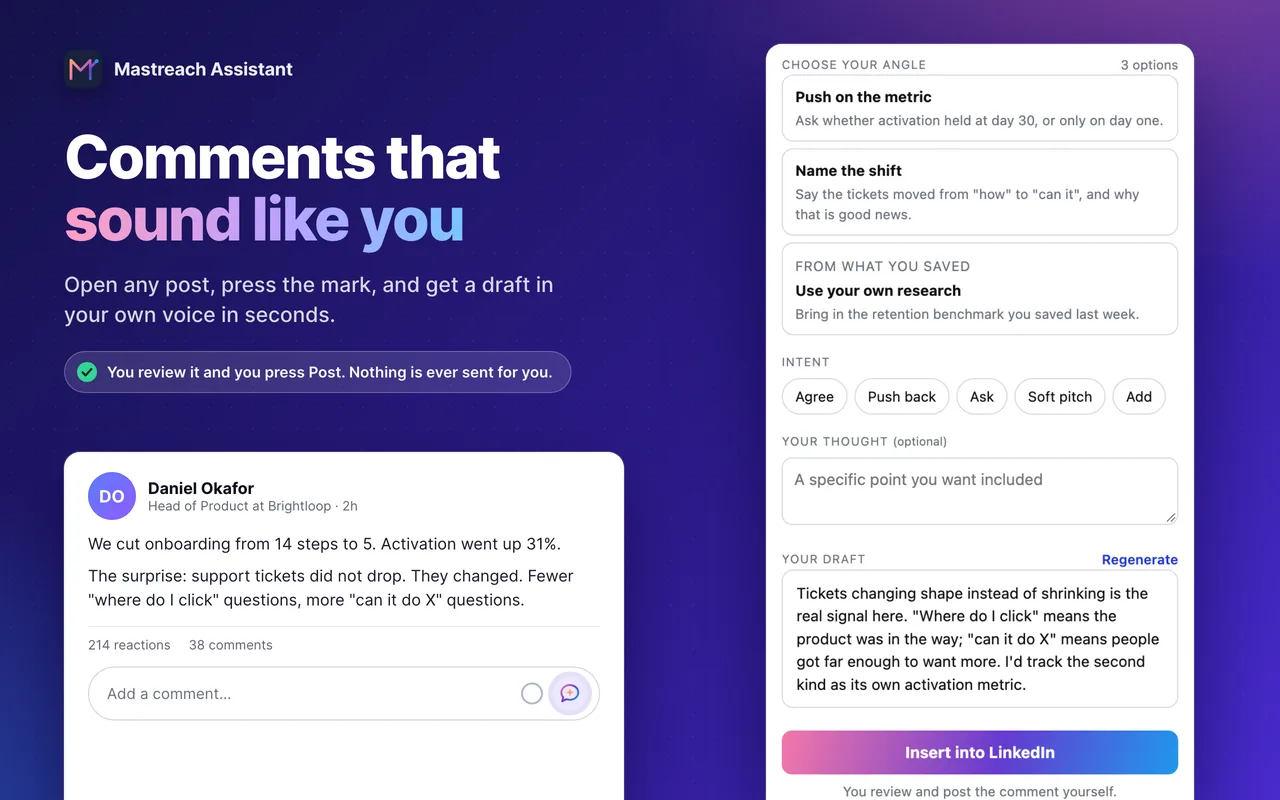
- It drafts a comment in your own voice, from an angle you pick.
- It adds up the impressions LinkedIn shows under each comment, so you see what worked.
You read, edit and post every comment yourself. Mastreach never posts, comments or messages for you.
Try it free for 5 days. Plans start at $29 a month at the founding price.
FAQ
How many comments can you post on LinkedIn per day?
LinkedIn does not say. Its help page states only that it may limit comments in a certain time period. Treat any exact figure you read online as unconfirmed.
Can LinkedIn restrict me for commenting too much?
LinkedIn says it may limit how many comments you make, and may limit the visibility of comments if it detects excessive creation or an automation tool. It does not publish the threshold.
Is it safe to use AI to draft LinkedIn comments?
LinkedIn prohibits tools that automate activity, such as bots that post comments for you. A tool that only drafts, while you read, edit and post each comment yourself, does not post on your behalf. Check any tool against LinkedIn's prohibited software page.
Do more comments mean more reach?
Not by themselves. In our experience, fit matters more than volume: posts your buyers read, and a specific point. Impressions in our data are not unique people.
Sources
See what your own comments are reaching.
Mastreach finds the LinkedIn posts your buyers are reading, drafts a comment in your voice, and counts the impressions LinkedIn never adds up for you. You post every comment yourself.
- 914 comments drafted with Mastreach and posted by their owners
- 177,931 LinkedIn impressions on those comments, August to September 2026