LinkedIn digital business card: what to do after a scan
LinkedIn's digital business card is rolling out worldwide. What it is, what is unknown, and a simple routine for the days after someone scans it.
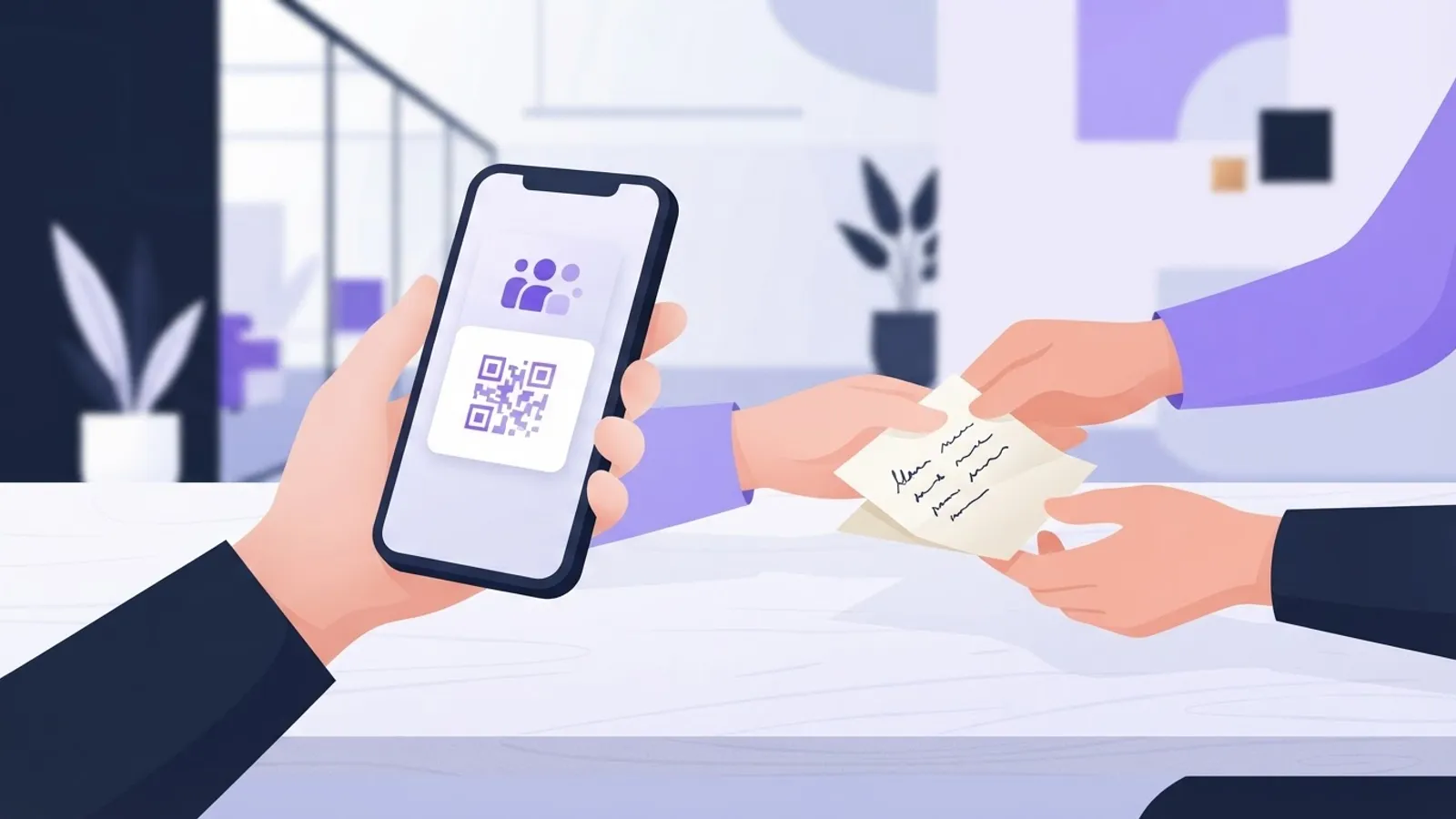
LinkedIn's new digital business card lets you design a card, add it to your phone's digital wallet and share your profile with a scan when you meet someone in person. It is a better way to hand over your details, but it does nothing after the handover. The follow-up in the next few days is where a scan becomes a client conversation.
What is LinkedIn's digital business card?
LinkedIn announced the card on 15 October 2026. In its words, you can "design and personalize your LinkedIn business card", add it to a digital wallet, and "easily stay connected with people you meet in person" (LinkedIn News).
Social Media Today, which covered the launch, reports that the card shows a headshot, a role description from your profile and a QR code (Social Media Today). There are design options, so the card can look like you.
Think of it as a paper business card that lives on your phone and always points to your current profile.
Who gets it, and when?
LinkedIn says it is "rolling out globally over the coming months". That is all it says. It has not published dates, countries or whether every account type will get it.
So you may not see the card yet. If you do not, nothing is wrong with your account. Check the app again in a few weeks. Until then, a profile QR code or a simple "find me on LinkedIn" still works for meetings.
Is this idea new?
Not quite. Social Media Today notes that LinkedIn added profile QR codes in 2018 for the same purpose, and that the earlier version "never appeared to catch on" as a significant connection tool.
Our reading: the tool was never the problem. A QR code is easy to scan and easy to forget. People scan at a conference, then a hundred other things happen. The card is only worth using if you have a plan for the days after.
What happens in the days after a scan?
A scan gives them your profile, or gives you theirs. It does not give either of you a reason to talk again.
LinkedIn itself says the hard part comes next. Its announcement says relationships do not stop when you hit "Connect", and that many people are unsure what to do after the introduction. Its own research, it says, found this among Gen Z, but we see the same gap among busy senior people. Nobody has time to follow up well.
Picture three people:
- A US agency owner meets a prospect at a trade show in Chicago. She scans, says "great to meet you" and goes back to client work. A week later the prospect barely remembers her.
- A UK consultant meets a finance director at a breakfast briefing in Manchester. He connects at once with a line about the topic they discussed. The finance director remembers him.
- A founder from Bengaluru meets a buyer in Dubai at an industry event. She writes down on her phone what the buyer said about a delayed project. Three days later she comments on the buyer's post with a point that fits that project.
The scan was the same in all three. The routine was not.
What should you do in the first week?
Here is a four-step routine a busy person can follow. It is our suggestion, not a LinkedIn method.
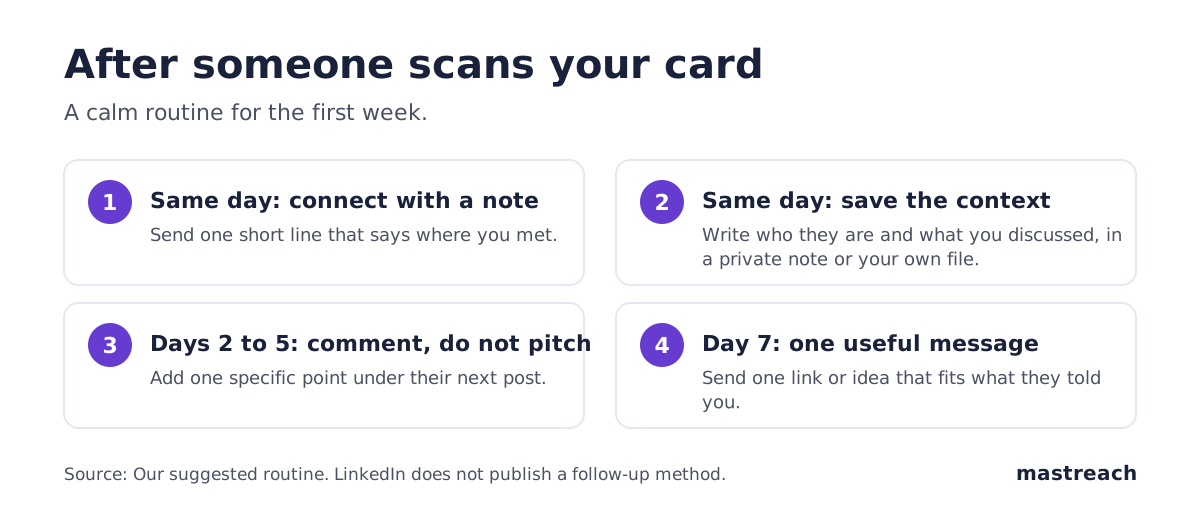
1. Connect the same day, with a short note. Say where you met and one thing you talked about. "Good to meet you at the Gulf logistics forum. Your point on customs delays stayed with me." Keep it to a sentence or two. LinkedIn's Help page says free members can add a personal message to only three connection requests a month, with each message up to 200 characters. Premium members can send unlimited personalised invitations (LinkedIn Help). Use your three on the people who matter most.
2. Save the context while you remember it. Write who they are, what they need and what you promised. LinkedIn's new private notes can hold this. LinkedIn Help says a Premium note is private, up to 500 characters, and goes on a first-degree connection's profile (LinkedIn Help). That means you must connect first, and it needs Premium Business or All-in-One. If you do not pay for Premium, a notes app or spreadsheet does the same job. We looked at the paid plan in LinkedIn Premium All-in-One: worth it for consultants?.
3. Comment on their next post. Do not pitch. Within a few days, find something they posted and add one specific point from your own work. This keeps you in front of them without asking for anything. We covered why a comment before a request tends to help in Comment before connecting on LinkedIn: does it work?, though that data is observational and not proof.
4. Send one useful message after about a week. A link, a short idea or an answer to something they said. Not a calendar link. Not a product description. If they reply, you have a conversation. If they do not, you have lost nothing and you can still comment on their posts.
Why does a comment work better than a second message?
A message goes to one person who did not ask for it. A comment goes where they and their own readers can see it.
We can offer one caution from our own numbers. Comments drafted in Mastreach and posted by the founder's own account came to 284 comments and 74,888 impressions over two months. Impressions are not unique people: repeat views and the author's own views count, and we have no comparison with what posts would have earned. But it shows comments are seen well beyond the one person you wrote to.
That helps your follow-up in two ways. The new contact sees you again. So do the people who read their posts, who may be the same kind of buyers you want.
If LinkedIn's separate Network feed test spreads, posts from your connections may also be easier to find. We wrote about that in LinkedIn Network feed test: US, UK, India, Australia. LinkedIn has not said when or whether it goes beyond those four markets.
What should a consultant put on the card?
You control the design, so keep it plain. Our suggestions:
- A headshot where you look like yourself. People should recognise you from the event.
- A role line that says who you help. "Helps mid-sized manufacturers cut delivery delays" beats "Strategy consultant".
- A profile that matches the card. The scan lands on your profile. If it is out of date, the card makes it worse. Check your headline and top section before you share.
- One subject, not five. A visitor should know in ten seconds what you do.
We do not know yet how much of the card you can edit beyond the design. Check what the app lets you change when it reaches you.
Where Mastreach fits
A card gets you a name. The follow-up is a few comments over a week or two, and most people run short of time.
Mastreach helps with that part:
- It shows the posts in your subject that your buyers are reading.
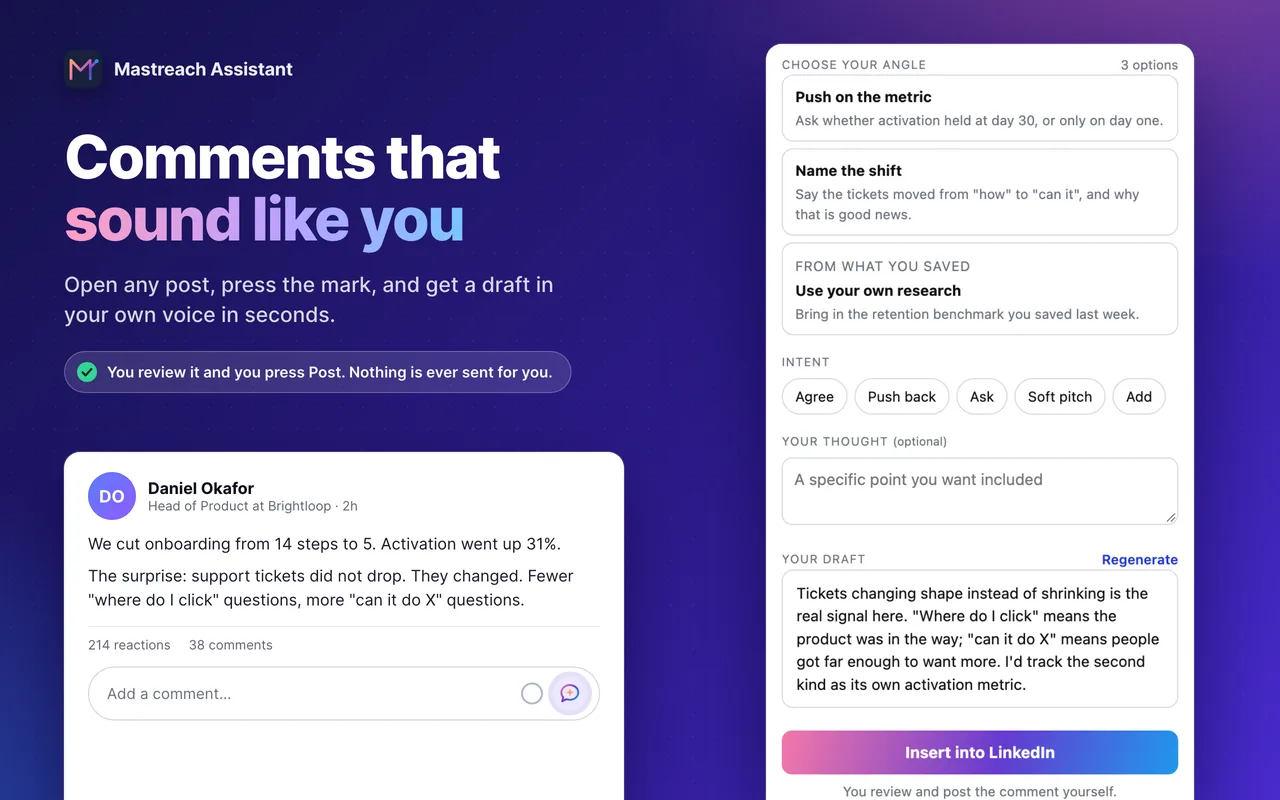
- On any post, pick an angle and get a comment draft in your own voice, which you edit.
- It records the impressions LinkedIn shows under each comment and adds them up.
You read, change and post every comment yourself. Mastreach never posts, connects or messages for you.
Plans start at $29 a month, and there is a 5-day free trial.
FAQ
Is the LinkedIn digital business card free?
LinkedIn has not said that it costs anything, and its announcement describes it as a feature people "can now" use. It has not published pricing or eligibility. Check the app when it reaches your account.
Do I need Premium to use private notes after a scan?
Yes, today. LinkedIn Help says Premium Notes are available to Premium Business and Premium All-in-One members, and only on first-degree connections. A free notes app works as a substitute.
What if the person does not accept my connection request?
Do not send a second message. Comment on their public posts if they are visible to you, and try again later. A note about where you met helps, because the request is no longer cold.
Should I still bring a paper card?
For now, yes, in places where people may not use LinkedIn much. The digital card is only a better handover. It is not proof that the other person will look.
Sources
See what your own comments are reaching.
Mastreach finds the LinkedIn posts your buyers are reading, drafts a comment in your voice, and counts the impressions LinkedIn never adds up for you. You post every comment yourself.
- 914 comments drafted with Mastreach and posted by their owners
- 177,931 LinkedIn impressions on those comments, August to September 2026