LinkedIn longer post preview test: what to change
LinkedIn is reportedly testing longer text previews before "more". What is known, what is not, and four calm changes for a consultant's posts.
LinkedIn is reportedly testing longer text previews in the feed, so some people now see more of a post before they reach the "more" link. So far one outlet has reported it, and we could not find a page from LinkedIn about it, so treat it as a test, not a rule.
For a consultant or founder, the useful response is small. Make the first few lines say plainly who you help and with what. Do not rewrite everything, and do not change how you comment.
What is LinkedIn testing with longer post previews?
On 27 October 2026, Andrew Hutchinson of Social Media Today reported that LinkedIn is "showing longer clips of text posts in the main feed" before the "more" link. The same article covers a second test: a simpler menu on desktop and mobile.
Two points from that report matter. LinkedIn is said to be testing the navigation change gradually, and its elements vary by region and language. And the report adds that longer previews could prompt a rethink of the old habit of hiding the main text behind the cut-off.
The article does not say how many lines are shown, who is in the test, or whether it will stay. We looked for a LinkedIn announcement and did not find one. Until LinkedIn confirms it, this is a reported test.
How long was the preview before?
The best figure we have is old. In September 2024, the UK writer John Espirian tested the feed and found that organic posts showed a three-line preview, and that fewer characters fit on a phone than on a desktop.
That was two years ago, and LinkedIn may have changed it since. A software vendor, AuthoredUp, said in August 2026 that the new feed cuts posts at a different point than before. That is a vendor's claim, not a LinkedIn statement.
The honest answer: the cut-off has moved before and may be moving again. You may see something different from a colleague in another country.
Does a longer preview help posts or comments get seen?
Social Media Today says the change "could help creators with engagement". That is the writer's expectation, not a measured result, and we have seen no data yet.
Our reading is more cautious. A longer preview gives a stranger more to judge you on before they decide to click. That helps a post that is clear and hurts one that only teases. It does nothing for a post whose subject is fuzzy.
It also leaves the comment section where it was. Readers still decide in the comments whether you sound like someone worth knowing. Our post on how LinkedIn now ranks comments for each reader explains why a specific comment beats an early one.
Here is one data point from Mastreach, with its limits. On the founder's own account, 284 comments drafted in Mastreach and then posted earned 74,888 impressions over two months. Impressions are not unique people, and repeat views and the founder's own views count. We have no comparison with that account's post impressions. We cite it only to show that comments are seen, whatever happens to previews.
What should a consultant change in the first lines of a post?
Change the habit, not the whole post. Here is what we would do.
- Say who it is for in the first sentence. "If you run a 20-person engineering firm and your best people are leaving, this is for you." A stranger from Dubai or Denver knows at once whether to read on.
- Put the point before the story. Old advice said to tease, then reveal. With a longer preview, a plain statement works as well, and it respects the reader's time.
- Keep paragraphs short, but stop breaking every sentence onto its own line. A longer preview full of one-word lines looks thin.
- Do not rewrite old posts. Change the next three posts and compare what happens.
An example. A UK tax adviser might open with: "Most small UK firms pay too much tax in their first year of growth. Here are three checks to do before your year end." That works at three lines and at six.
Where did the Profile menu and analytics move?
In the same Social Media Today report, the desktop "Profile" tab now links to analytics, saved posts and settings. A new "More" tab holds games, news, groups, events, newsletters and video. On mobile, the lower bar gets the same consolidated entries.
So if your analytics seem to have moved, you may be in the test. Our guide to what to check in the creator dashboard still applies; only the route to it differs.
How do you check if you are in the test?
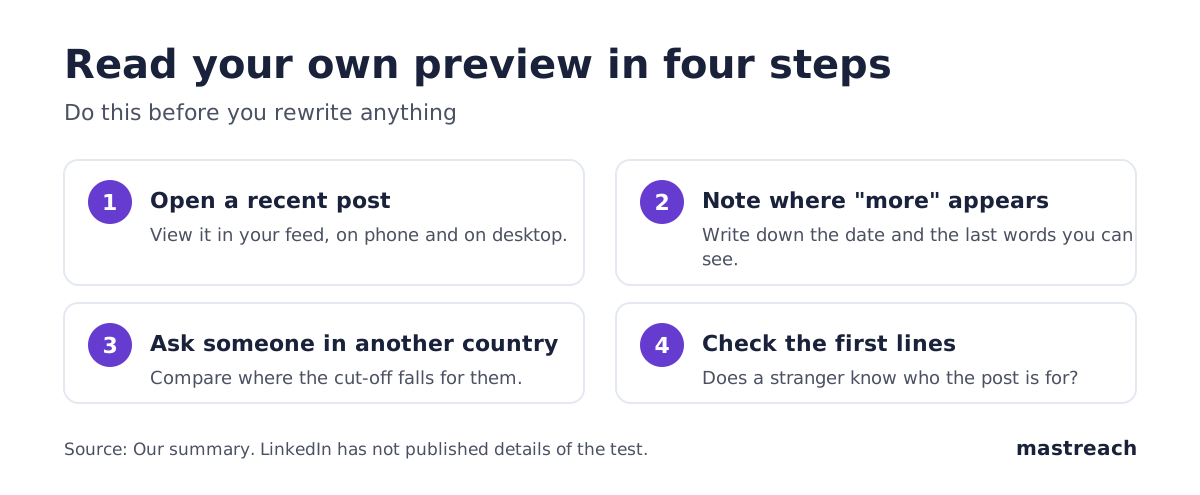
You cannot see a switch. Compare instead. Ask a colleague in another country to open the same recent post and tell you where the "more" link appears. If it sits lower for you or for them, one of you may be in the test.
Also look at your menus. If "Profile" now leads to analytics and a "More" tab exists, you may have the navigation test too, though the two changes are reported separately.
Write down what you see and the date. If it changes, you will know when.
What should you not change yet?
Four things, until LinkedIn confirms the test.
- Do not build a new content plan on it. A test can end in a week.
- Do not stop commenting. Comments are seen regardless of preview length. If you are still deciding where to comment, start with which posts to comment on.
- Do not trust a "new rule" from a vendor. Many sell tools that preview or schedule posts. They have a reason to make the cut-off sound urgent.
- Do not stuff more text in. Longer room is not a reason for longer posts.
Where Mastreach fits
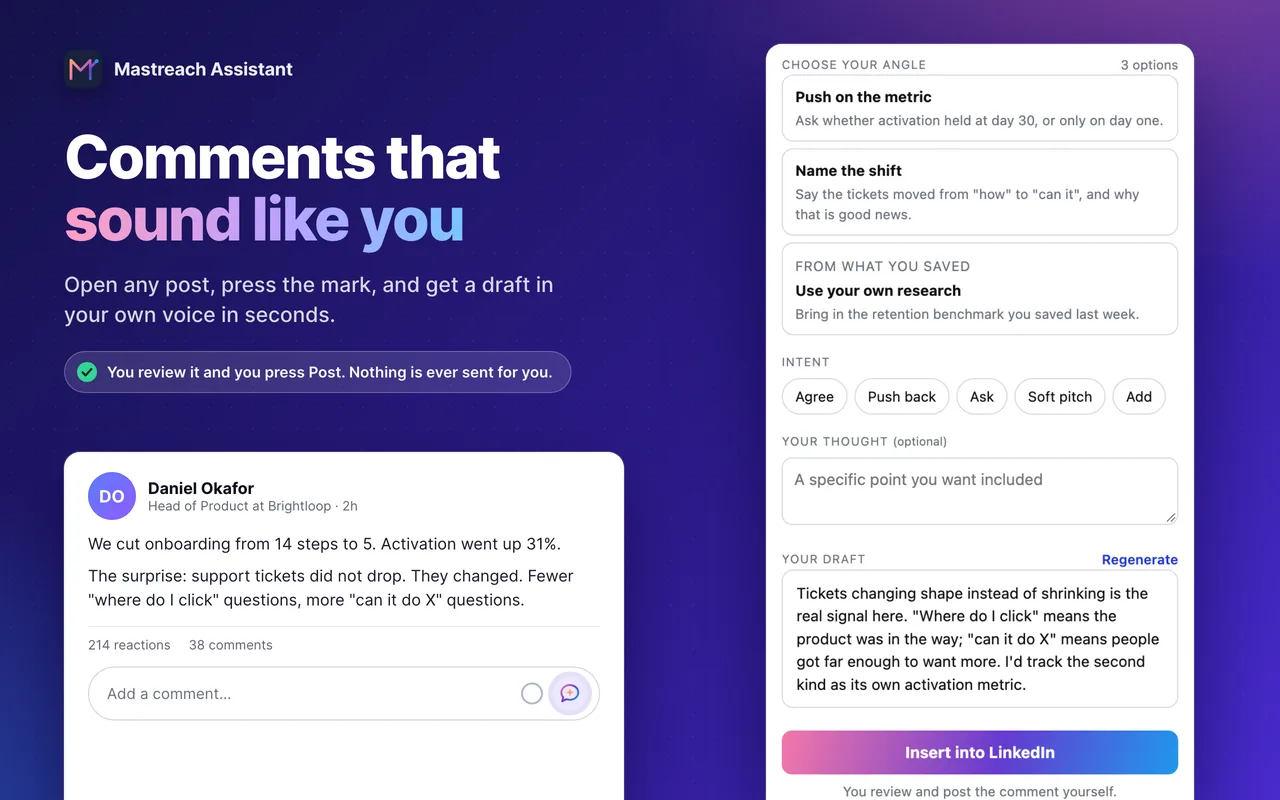
If the first lines of a post matter more, so does the first line of your comment, because it is what people see under a buyer's post. Mastreach is a LinkedIn positioning assistant for founders, coaches and consultants. It helps with the comment side of this:
- It shows posts in your subject that your buyers are reading.
- It drafts a comment in your own voice, from an angle you pick, for you to edit.
- It records the impressions LinkedIn shows under each comment and adds them up by week.
You read, edit and post every comment yourself. Mastreach never posts, comments or messages for you.
You can try it free for 5 days, and nothing is charged during the trial.
FAQ
Is LinkedIn's longer post preview confirmed?
Not by LinkedIn, as far as we could find. Social Media Today reported it on 27 October 2026 as part of a test, and said the navigation changes vary by region and language. Treat it as a test until LinkedIn publishes details.
How many lines does a LinkedIn post show before "see more"?
In September 2024 an independent check found three lines for organic posts. That may have changed, and a longer preview is now reportedly being tested. The number also differs between phone and desktop.
Should I still write a strong first line?
Yes, but make it a clear statement of who you help, not a trick. A clear opening works at any preview length.
Does this change how comments are seen?
We have seen no sign that it does. Comments sit under the post, and LinkedIn has said comments are now ordered by relevance to each reader.
Sources
See what your own comments are reaching.
Mastreach finds the LinkedIn posts your buyers are reading, drafts a comment in your voice, and counts the impressions LinkedIn never adds up for you. You post every comment yourself.
- 914 comments drafted with Mastreach and posted by their owners
- 177,931 LinkedIn impressions on those comments, August to September 2026